01 Core logging works offline02 UTC at the center03 Your log, in ADIF
01 / AT THE STATION
Less between you and the next QSO.
From the first callsign to the last signal report, keep the details of your operating session in one place.
01 / LOG THE CONTACT↗
Keep the frequency. Keep going.
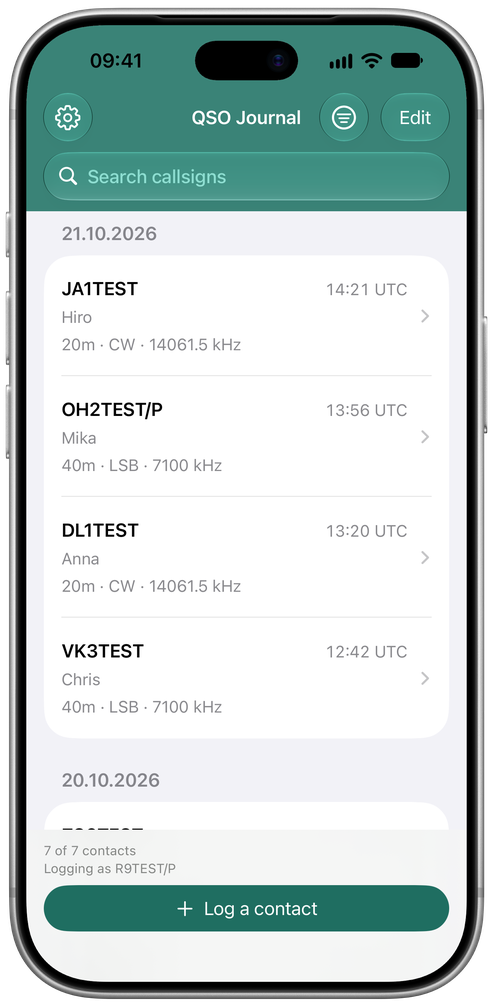
Record callsign, frequency, band, mode, sent and received reports, QTH, locator and notes. Live UTC time keeps you on the station clock.
QSO Journal · English app interface
Save & Next keeps your band, mode and frequency ready for the next contact.
02 / FIND IT AGAIN⌕
A journal you can return to.
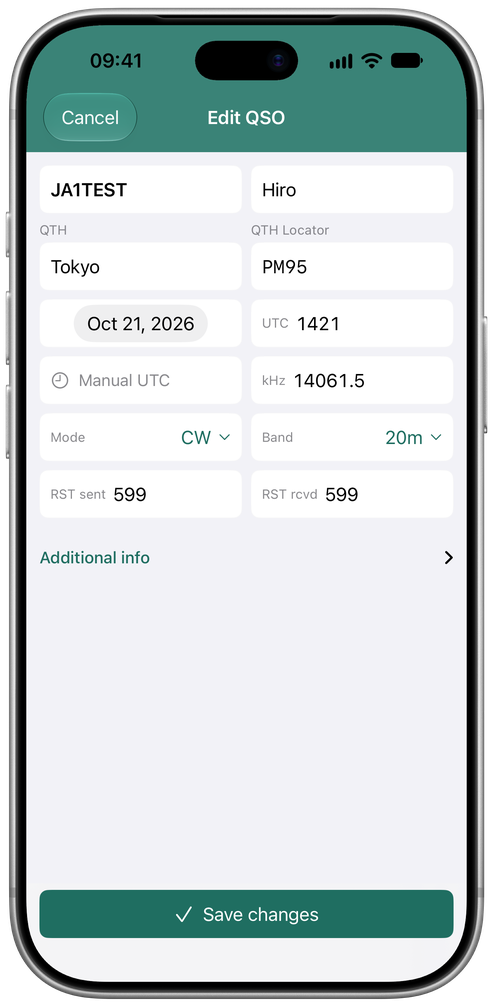
Search by callsign. Filter by band or mode. Open a contact to review the details, make an edit, or add a note.
Edit QSO · English app interface
Deleted a contact by mistake? Undo is available while the app remains open.
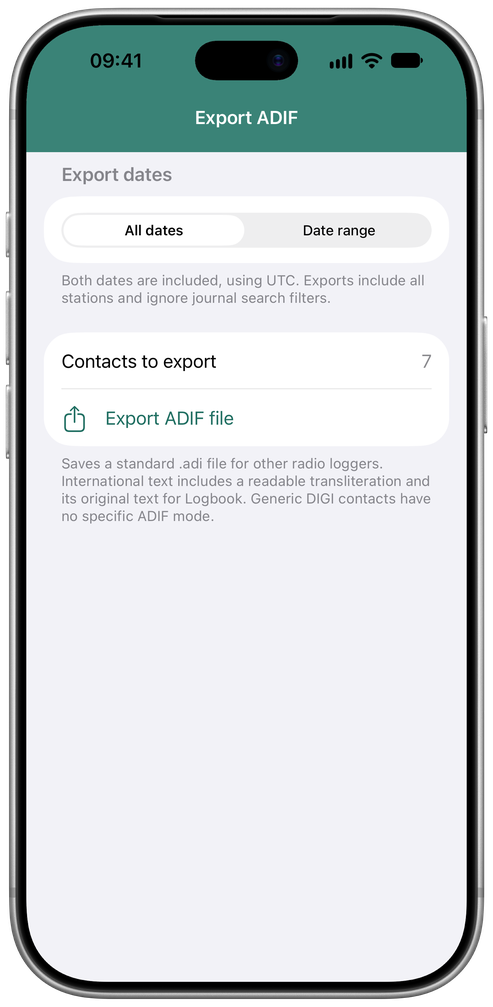
.ADI / EXPORTExport all contacts, or choose a UTC date range.
02 / ADIF & BACKUP
Made to travel with your log.
Exchange contacts with your station’s logging software, and keep a separate copy for recovery.
01ADIF in. ADIF out.
Import an ADIF file and review new contacts, duplicate matches and invalid records before merging. Export your whole log or a selected UTC date range.
02A separate journal backup.
Save a complete backup of your contacts and station settings. Review a backup’s details before restoring it.
03Keep your station together.
Set your callsign and station details, then return to a journal organized around your operating.
03 / CALLSIGN ASSISTANCE
A useful starting point. You make the call.
Fill QTH and grid locator fields with help from previous contacts, online lookups and offline callsign-prefix estimates. Suggestions show their source and stay editable.
Prefix estimates describe a country or area, not a confirmed station location. Online lookups need internet; HamQTH station callbook access needs a HamQTH account.
QTHGRID LOCATORHAMQTH
04 / BEFORE YOU TUNE IN
A few details. Then, over to you.
Practical answers for your next session.
Can I log contacts offline?
Yes. Core QSO logging works offline. Online callsign lookups need an internet connection. HamQTH station callbook access also requires your HamQTH account.
Can I use my existing ADIF files?
You can import ADIF and review new contacts, duplicate matches and invalid records before merging. You can also export all contacts or a selected UTC date range.
Is an ADIF export the same as a backup?
No. ADIF is for exchanging contact records with logging software. A complete journal backup also preserves your station settings and can be reviewed before restoring.
Which devices and languages are supported?
Logbook is designed for iPhone and iPad. The app interface shown here is in English. This website is available in English and Russian.
Does it connect to my transceiver or confirm QSOs?
The features presented here cover manual QSO logging, ADIF exchange, callsign assistance and backups. They do not include transceiver control or automatic QSO confirmation.
Where can I get help?
Contact the developer on Telegram: @devenl. You’ll find the link at the bottom of this page. Good DX and 73 from R1BIA!
READY FOR YOUR NEXT CONTACT
Tune in. Write it down.
Bring a little order to your radio time. Your next QSO has a place here.